Beat Studio
Get Better. Faster.
Beat Studio is a FREE electronic drum training app for Windows and Mac. Connect your e-drum kit and get real-time feedback on timing, velocity, and accuracy — like having a drum teacher built into your software.

Training & Feedback
Every hit, measured.
Beat Studio watches how you play, not just what you play. Timing, velocity, and accuracy are scored on every stroke, live on screen, then broken down into a full picture of your session.
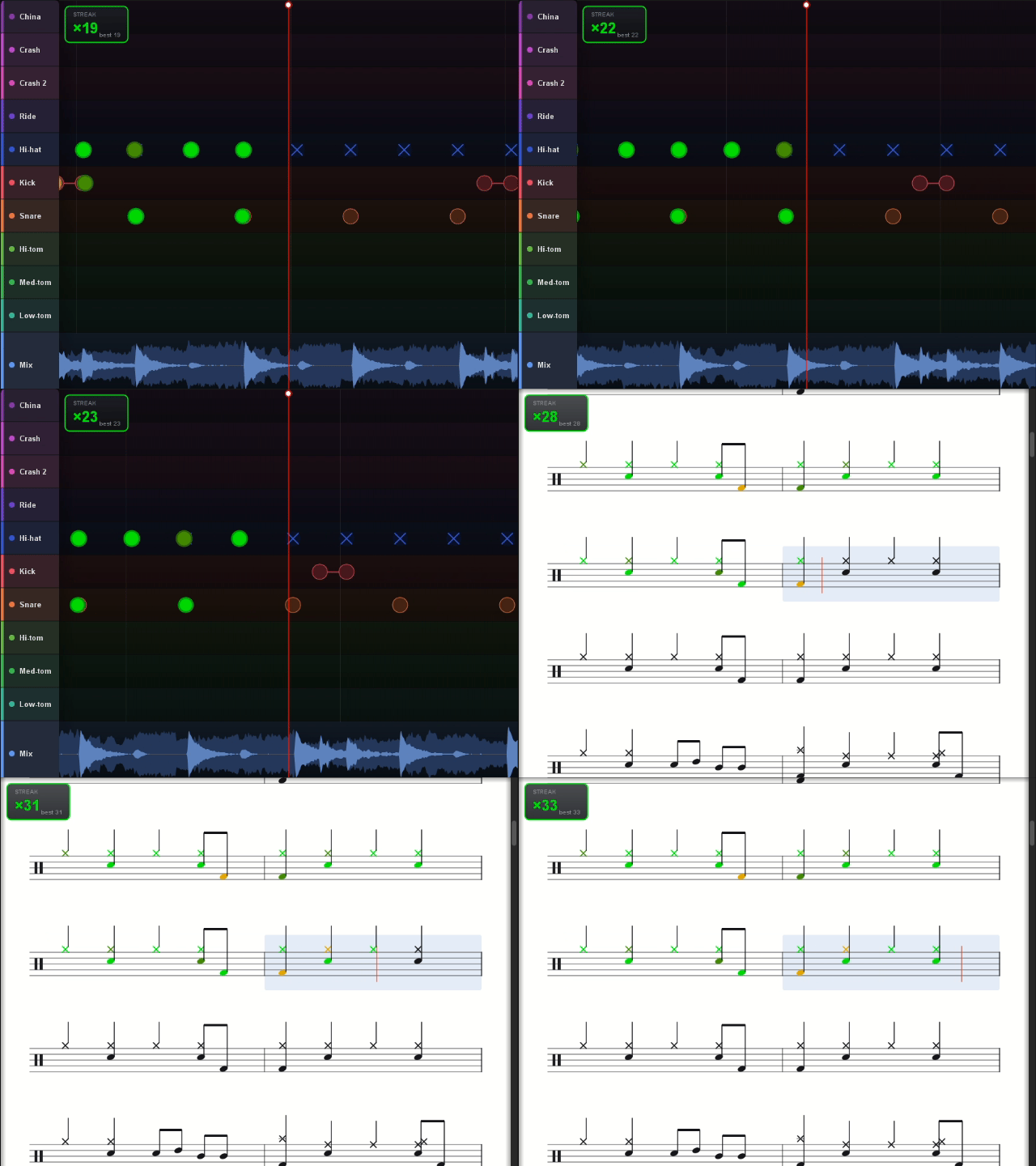
Live feedback. See each hit land early, late, or dead centre as you play — on the timeline or in full notation with a moving playline.
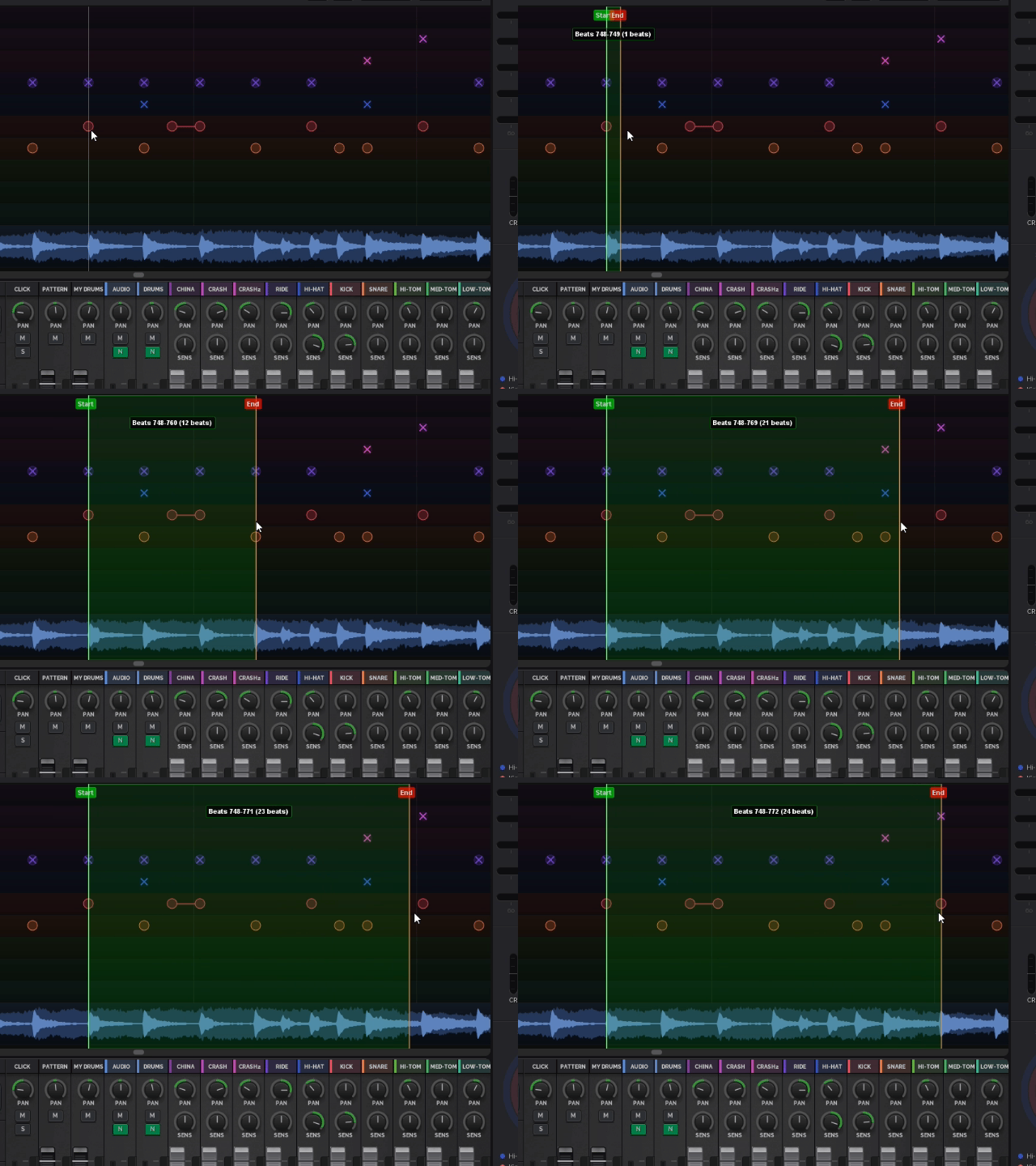
Sub-pattern training. Loop the four bars that are giving you trouble and slow them down.
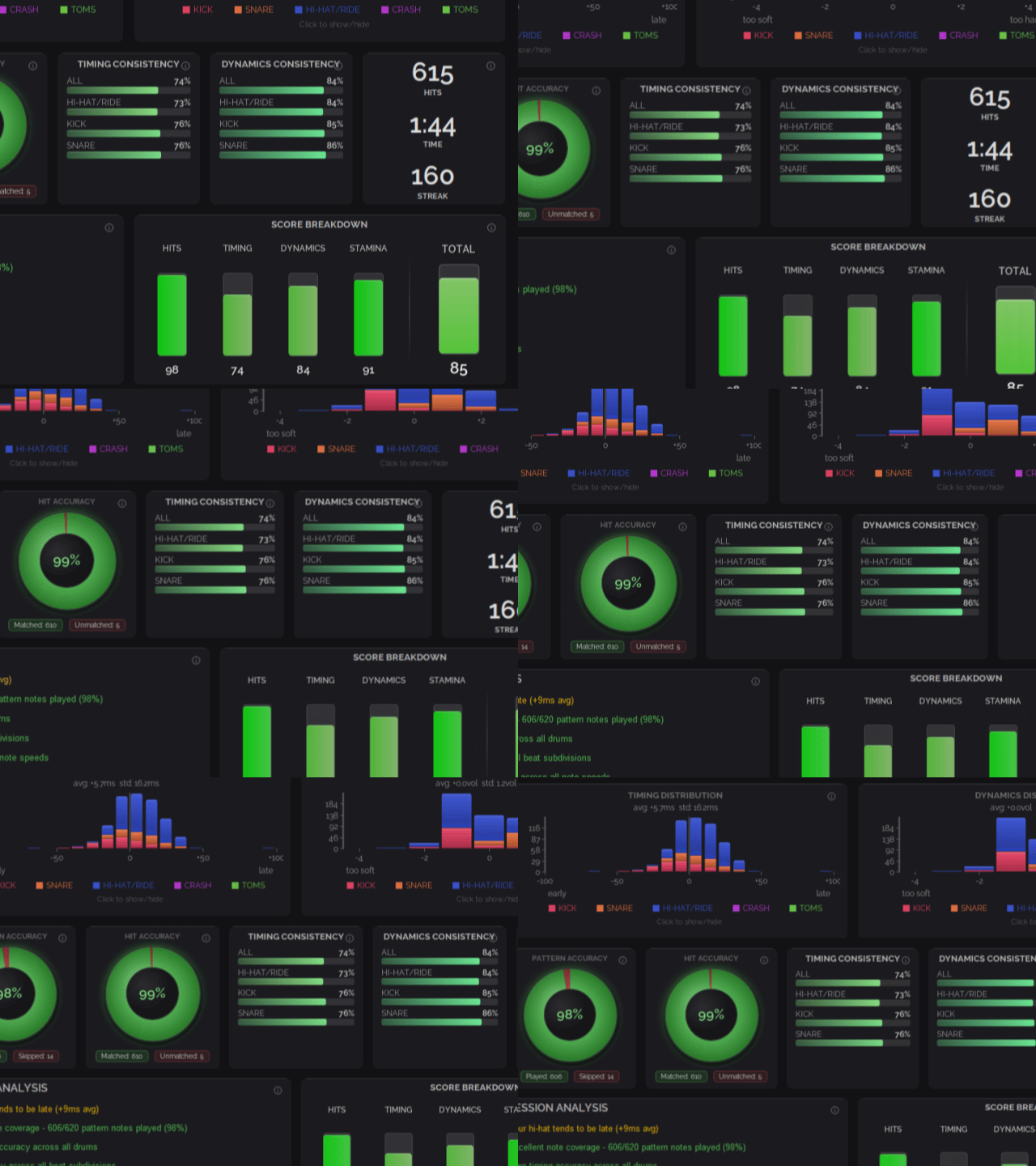
Session analysis. Timing drift, velocity spread, per-pad accuracy, and a score across hits, timing, and stamina. Plus tips on what to fix.

Imported song played in Beat Studio. The chart came from a MIDI file, and Beat Studio synced it to the original recording and separated the drum stem, so the real track plays with the drums removed. The snare is sampled from that same stem, the rest of the kit is a factory kit.
Pattern editor
Edit anything. Build anything.
Import a MIDI or Guitar Pro file and you get the drum part plus a backing band built from every other instrument — bass, guitars, keys. Add the real recording and the chart follows the actual track instead of the synthesised version.Or start from audio alone.e Import an MP3 or paste a link, and Beat Studio separates the drum stem and extracts the pattern straight from it — every hit detected and placed on the grid, with a tempo map so the notes land where the drummer actually played them.Every pattern is editable once it's in. Change a fill you don't like, extend a bar, trim a section, switch time signatures, dial in swing.Or start from an empty gride and build the exercise you actually need. Rudiments carry hand assignments, so the app knows which stick lands where.
How it works
Find a file, drop it in, play it. The rest is practice.
Where to find songs
Thousands of MIDI and Guitar Pro files are already out there, free to download. No account, no catalog to work through — find the song you want and import it.
Sound
Make it sound real.
Beat Studio ships with a professionally recorded drum kit, plus a bundled SoundFont library of extra kits. Or pull the drum sounds out of a song and play the record's own kit on your pads.
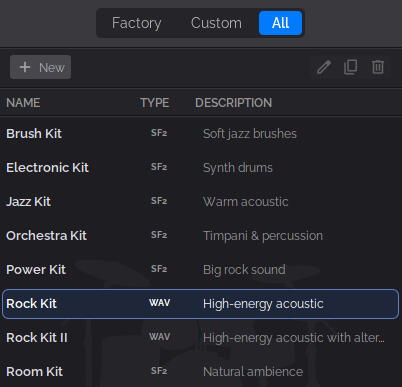
Professional factory kits. A studio-recorded default kit, plus eight more from the bundled SoundFont library. Ready to play from the first launch.
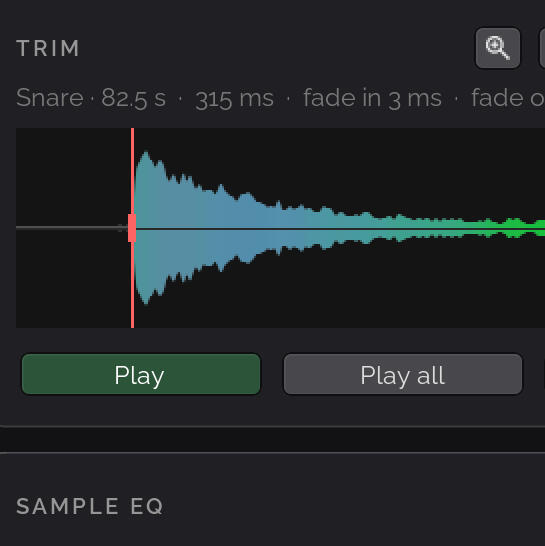
Kit from a song. Separate the drum stem from any track and slice individual hits into a playable kit. Mix in pads from other kits to build your dream kit
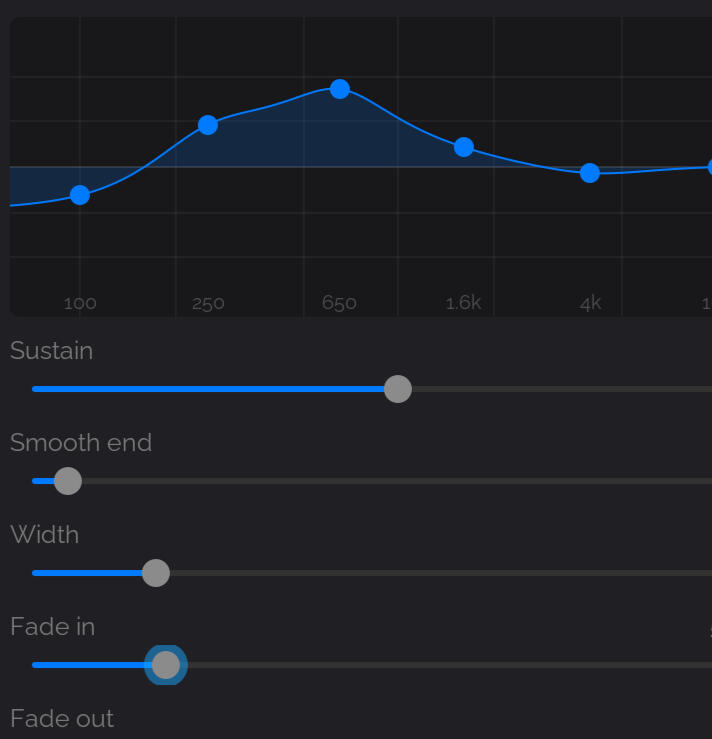
Sample tools built in. Trim, EQ, and shape every sample. Generate up to five velocity layers from a single hit, and let round-robin variations keep repeated strokes from machine-gunning.
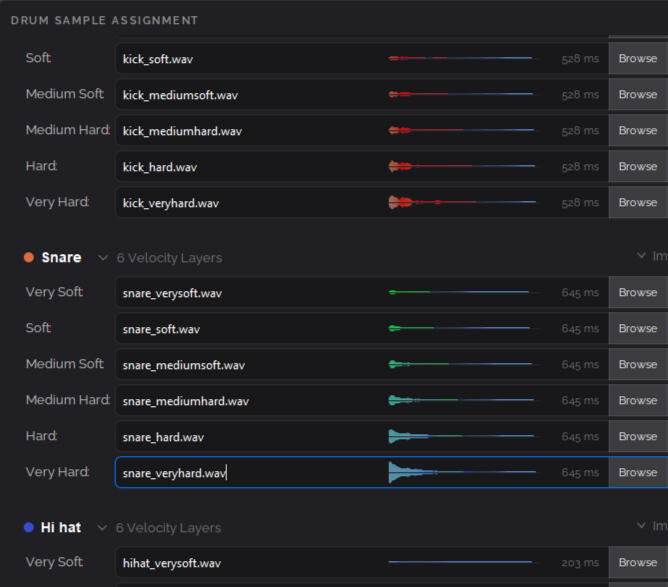
Or bring your own. Load WAV samples and SF2 SoundFonts. Per-pad volume, panning, and sensitivity, with reverb, delay, flanger, and distortion.
Works with every kit
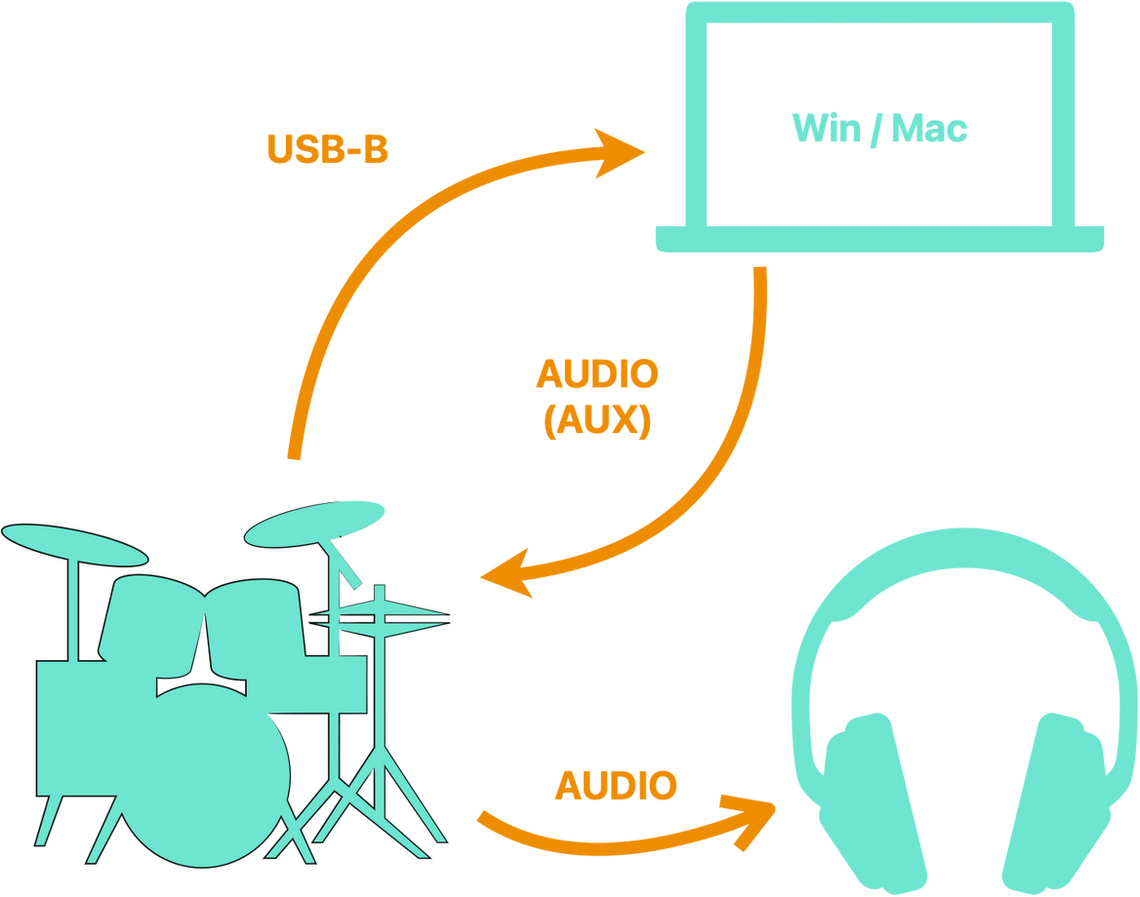
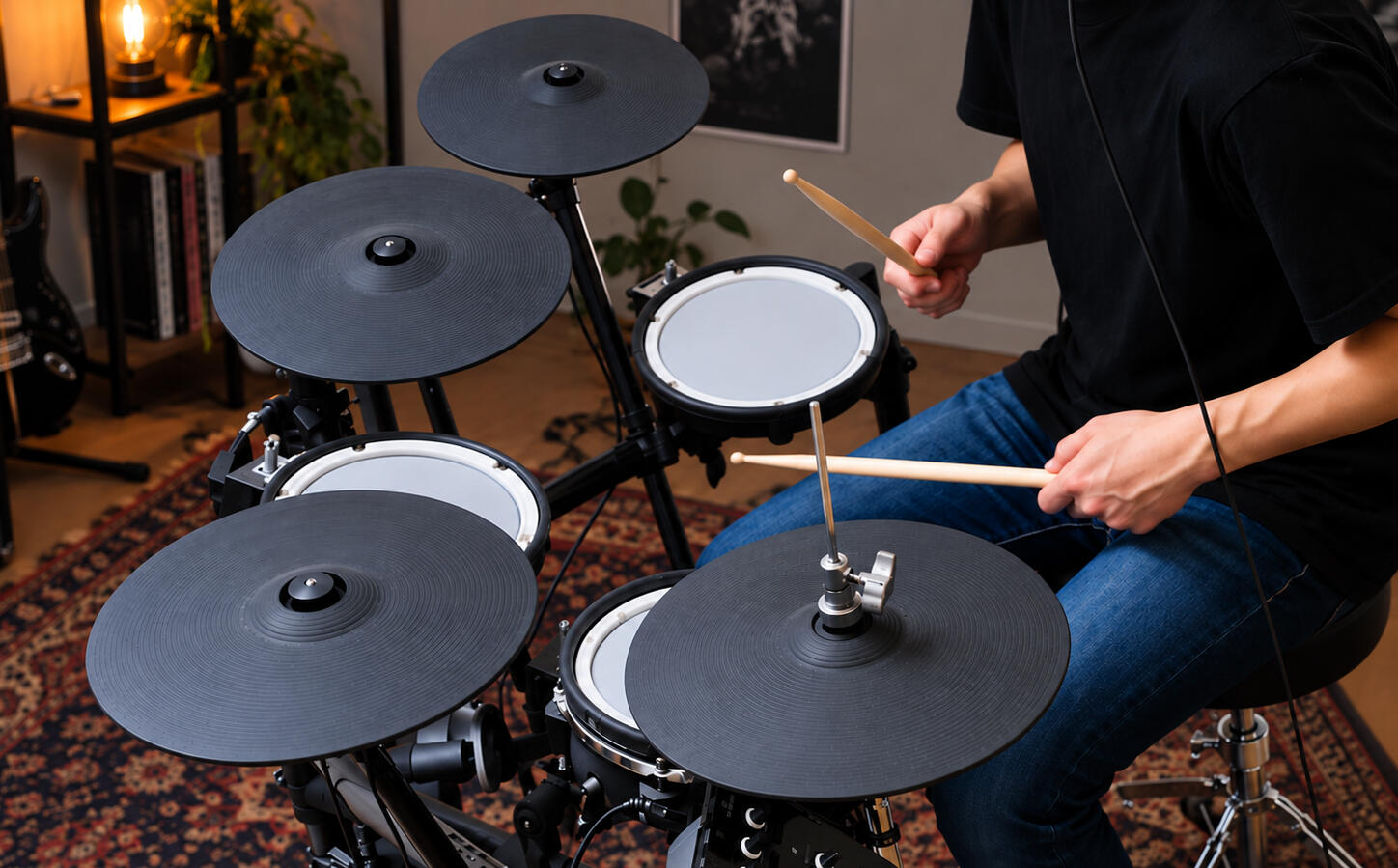
Roland, Yamaha, Alesis, EFNOTE, ATV, Simmons, generic pads, even a keyboard. A guided wizard walks you through it — hit each pad when prompted and Beat Studio learns your kit, one pad at a time.No special hardware. Just a USB cable and about a minute.Listen through your computer and play Beat Studio's factory or custom kits. Or route the audio back to your module and use your kit's own sounds, with the backing track mixed into its headphones.
Tempo
Playing in time, on purpose.
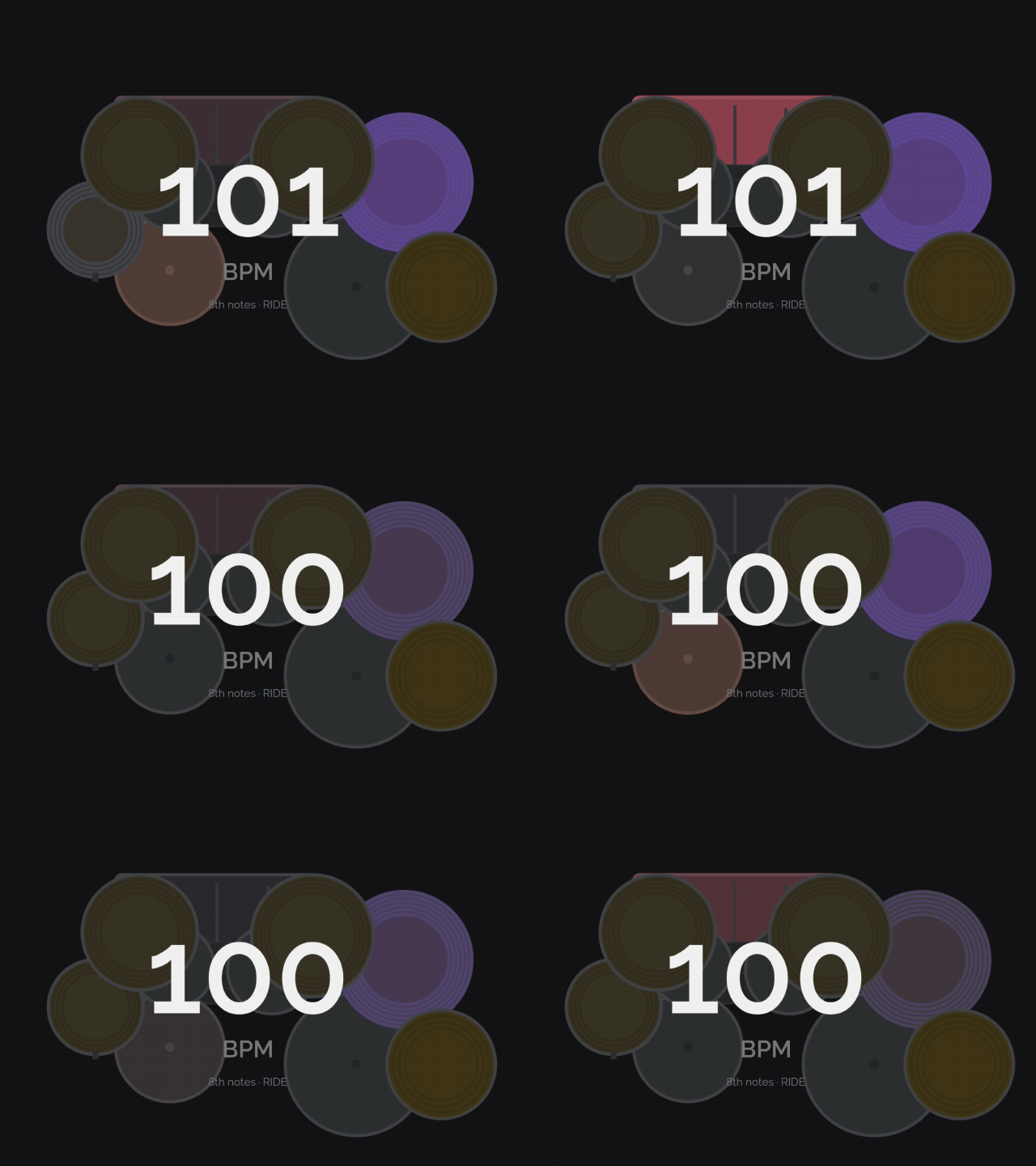
Live BPM counter. Play anything and it reads your tempo off the pad you choose, with a history graph showing where you drifted.
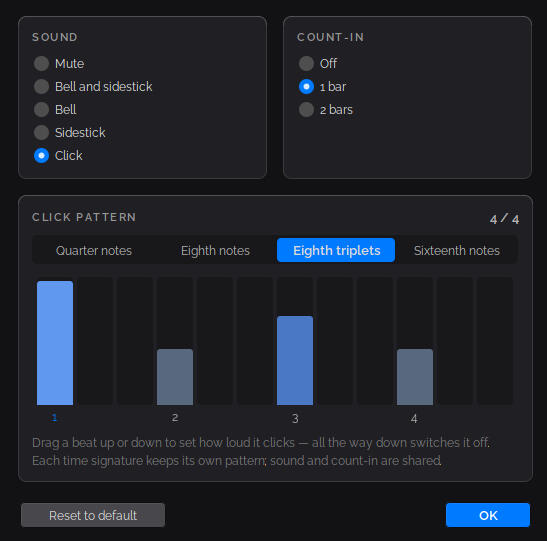
A metronome you can shape. Drag any beat up or down to set how loud it clicks, or all the way down to silence it. Quarters, eighths, triplets, sixteenths — and each time signature keeps its own pattern.
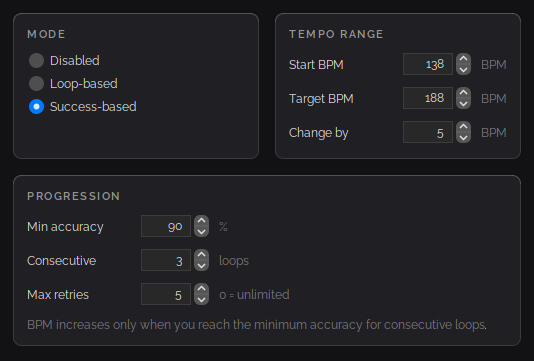
Tempo that climbs on its own. Set a start and a target BPM and let it walk up, either every few loops or only once you've played it clean.
Pattern packs
Always something to work on.
Sets of patterns grouped around a single skill — rudiments, kick work — ready to load in a click. Somewhere to start when you're not sure what to practice. Included with PRO membership, and yours to keep once downloaded.
Rolls, paradiddles, and the patterns every drummer needs. Hand assignments included, so the app knows which stick lands where.
Beginner to intermediate foot work. Build independence and a kick that sits where it should.
Fills, grooves, and full beats are in progress. New packs land alongside regular releases.
Plans
Start free
No trial, no countdown, no card. The free version stays free. When you want the full thing, it's one payment and it's yours — or support monthly and get every new release as it lands.
Free
€0.00
A limited version to try the basics — connect your kit, play a pattern, and see how the feedback works.
€0.00
Every Pro feature unlocked — try it all before you decide. Playback stops after 10 seconds; restart anytime.

€6.00
Everything unlocked — song imports, real-audio backing, notation, analysis, and custom kits. Yours forever.

€7.90/month
The same app, plus every release as it ships and all pattern packs. Cancel anytime and keep what you have.
You'll need a free Patreon account to download the file, but not to use the app. Once it's on your machine it runs offline, with no login and no expiry, whether or not that account still exists.
One thing to know
Beat Studio is a one-person project, and it moves fast — new releases land a few times a month. Maintaining old builds alongside that isn't realistic, so fixes go into the current version only. Buy once and you get that version exactly as it is: complete, working, and yours, but frozen. The membership is for keeping up.
Latest releases
New releases land a few times a month — features, fixes, and pattern packs — driven mostly by what people ask for.
Sep 23
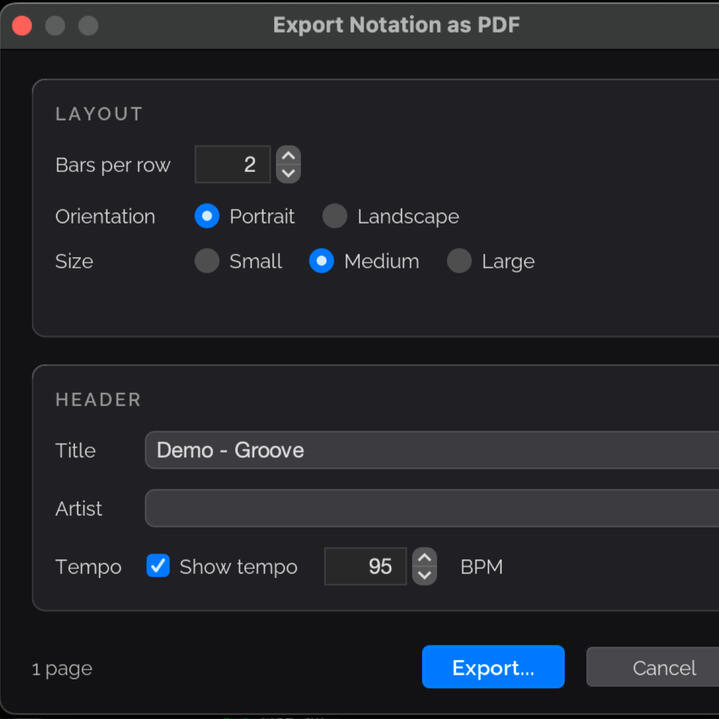
1.9.0 PDF export, Optimization, New PRO TRIAL version!
Sep 10
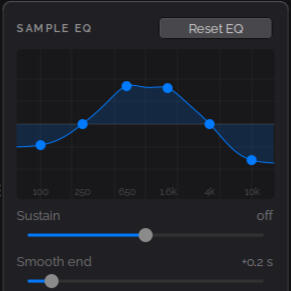
1.8.0 Drum kit from song, Custom kit editor refresh and Crash pad to Extract tool
August 26
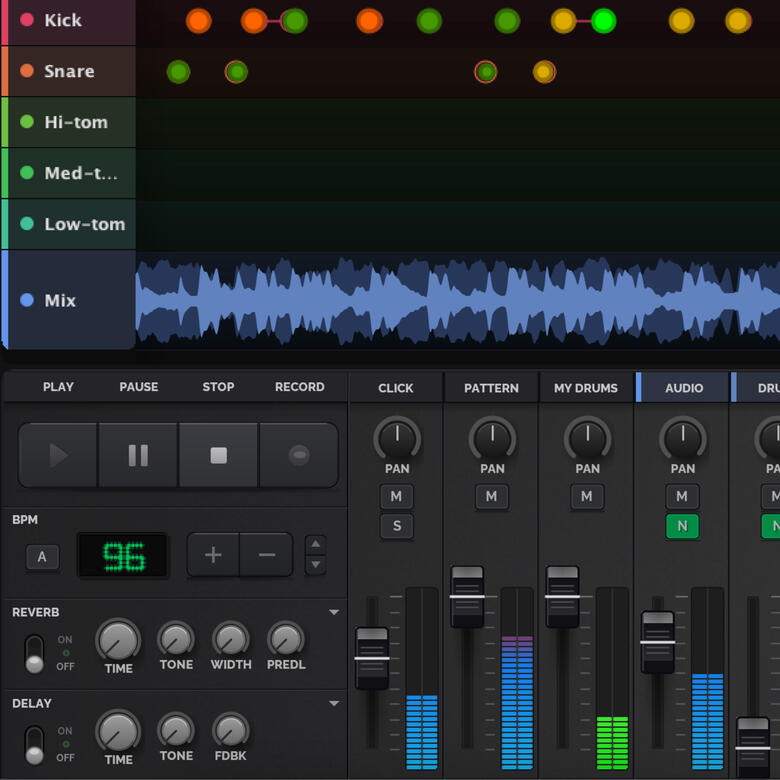
1.7.0 Cooler, darker visual refresh, a wave of notation and metronome improvements — triplets, tempo marks, loop points, playback feedback and streaks — and a reorganisation that pulls scattered settings into one place.
Requirements
Beat Studio runs on Windows 10 and 11 and on macOS 11 or later, with native builds for Apple Silicon and Intel Macs. It works with any electronic drum kit or MIDI pad — Roland, Yamaha, Alesis, EFNOTE, ATV, Simmons — over a single USB connection, with no audio interface required. Drum stem separation runs locally on your machine, so more cores and memory make it faster.
| Minimum | Recommended | |
|---|---|---|
| CPU | Any x64 (Intel/AMD) or Apple Silicon | 4+ cores — stem separation scales with core count |
| RAM | 4 GB | 8 GB, or 16 GB for separating long tracks |
| Disk | Under 1 GB | - |
Windows
Windows 10 or 11, 64-bit. x64 only — no 32-bit or native ARM64. Audio via WASAPI, any output device.Mac
macOS 11 (Big Sur) or later. Separate builds for Apple Silicon and Intel. Audio via Core Audio.
How to Connect
One USB cable either way. Play through your computer, or send the audio back to your module and listen on the kit's own headphones.
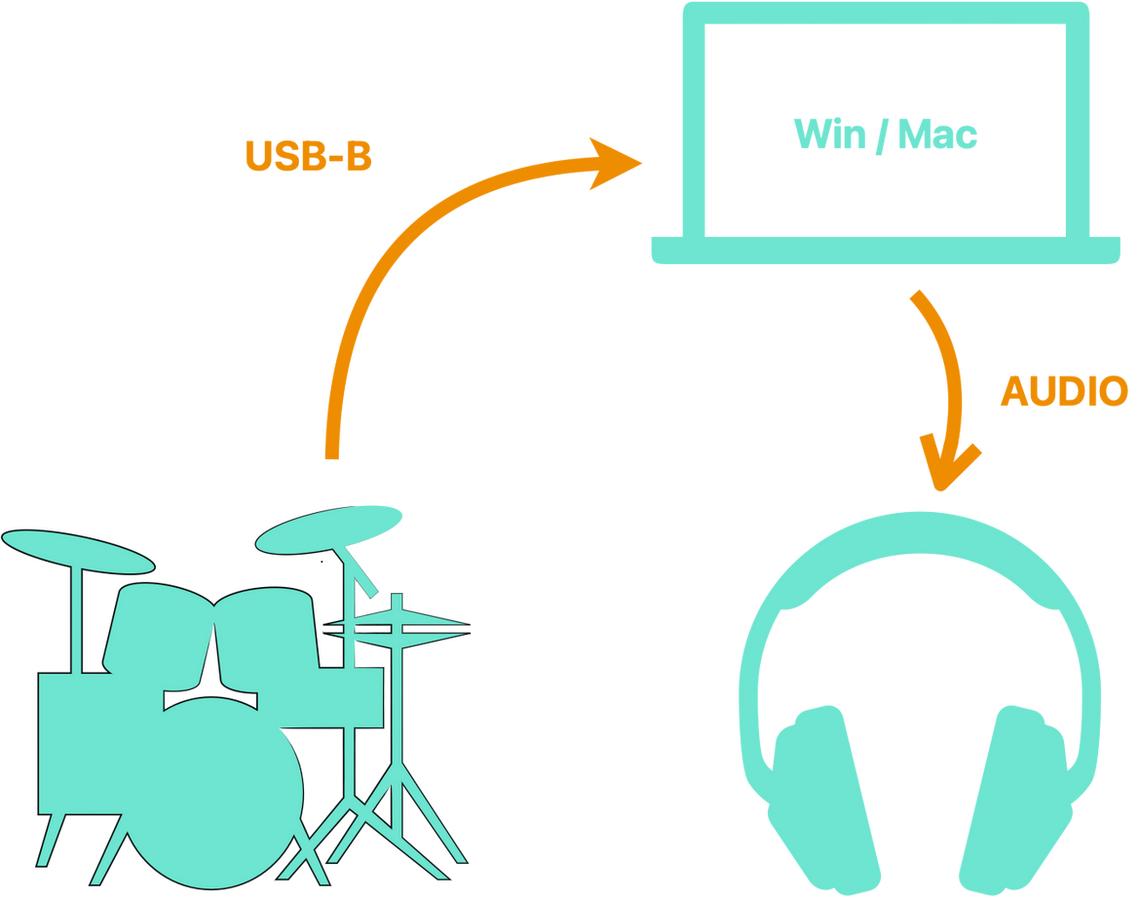
Computer audio
Connect your kit to the computer over USB. Beat Studio receives the MIDI, plays the drum sounds, and sends everything — drums, backing track, and click — out through your computer's audio. Speakers or headphones, whichever you've got.
Dual audio
Connect over USB for MIDI, then run audio from the computer back into your module's AUX input. You listen through the kit's own headphone output, with your module's drum sounds and Beat Studio's backing track and click mixed together.Mute the drum channel in Beat Studio so your hits don't play twice.